
Login to Cvent Account
- Visit app.cvent and log in to your Cvent account.
Access Admin Panel
- Look for the Admin Panel option, usually located in the menu or dashboard.

Navigate to REST API Section
- Within the Admin Panel, find and click on the REST API section in the left menu.

Manage API Access
- Look for a link that says “Manage API Access” within the REST API section.
Create a Workspace
- Inside the “Manage API Access” section, go to the Workspaces tab.
- Click on “Create a Workspace” and choose an appropriate name for it.
- Ensure that the workspace is set to “All Permissions.”

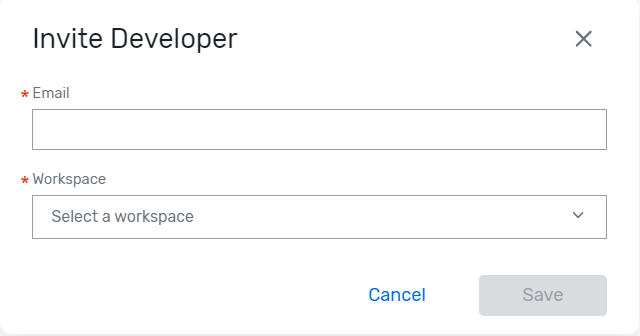
Invite Developer
- Navigate to the Developers tab on top
- Click on “Invite Developer.”
- Choose the newly created workspace and specify the workspace name.
- This action will create a developer account associated with the specified workspace.