Connect booth and sponsorship orders to invoices, deposits, payments, and outstanding balances in one workflow. Give buyers flexible ways to pay while giving your team a clear view of what has been collected and what is still owed.
From order to invoice to payment, keep your event revenue connected and clear.
1,000+events run annually
100,000+planners & exhibitors served
Invoice sent#10054
Payment complete$4,200 via Stripe
Deposit collectedBalance scheduled
100+ hours saved
Trusted by leading associations and event organizers
The Old Way
Event revenue shouldn't require its own spreadsheet.
Booth and sponsorship orders create invoices, deposits, balance payments, checks, adjustments, and accounting work. When those pieces live in separate systems, your team spends too much time figuring out who paid what.
Invoices built by hand
Every new booth or sponsorship means creating another invoice and matching it back to the order.
Deposits tracked separately
Initial payments, remaining balances, and due dates wind up in spreadsheets or accounting notes.
Online and offline payments
Credit cards, ACH, checks, and other payments have to be reconciled back to the correct exhibitor or sponsor.
Outstanding balances are hard to see
Your team doesn’t have one clear view of what’s paid, partially paid, or still owed.
Event sales and accounting are disconnected
The order contains the event details. The accounting system contains the transaction. Your team has to connect the two.
Follow-up takes time
Outstanding balances create another round of emails, spreadsheets, and manual checking.
The harder it is to understand what’s outstanding, the harder it is to collect it.
WHAT YOU GET
Know where every order stands financially.
Three things change when payment status lives with the order.
Give buyers flexible ways to pay
Support the payment workflows your organization uses, from full payment to deposits, balances, invoices, and approved offline payment methods.
See what's paid and what's still owed
Keep the financial status connected to each order so your team can quickly understand paid, partial, and outstanding balances.
Reduce financial admin
Create invoices and capture payment information as part of the event workflow instead of recreating every transaction across disconnected systems.
See It In Action
Flexible for buyers. Clear for your team.
FLEXIBLE PAYMENTS
Let buyers pay the way your event requires.
Collect full payment upfront, require a deposit, leave a remaining balance, or support invoice and pay-later workflows based on the rules of your event.
You control the payment structure. Exhibitors and sponsors get a clear path to complete the order.
Interactive preview
Payment structure
An example order for a sample event. Set the rule on the left and the buyer’s path rebuilds on the right.
Deposit collected
AUTOMATIC INVOICES
Invoices that build themselves.
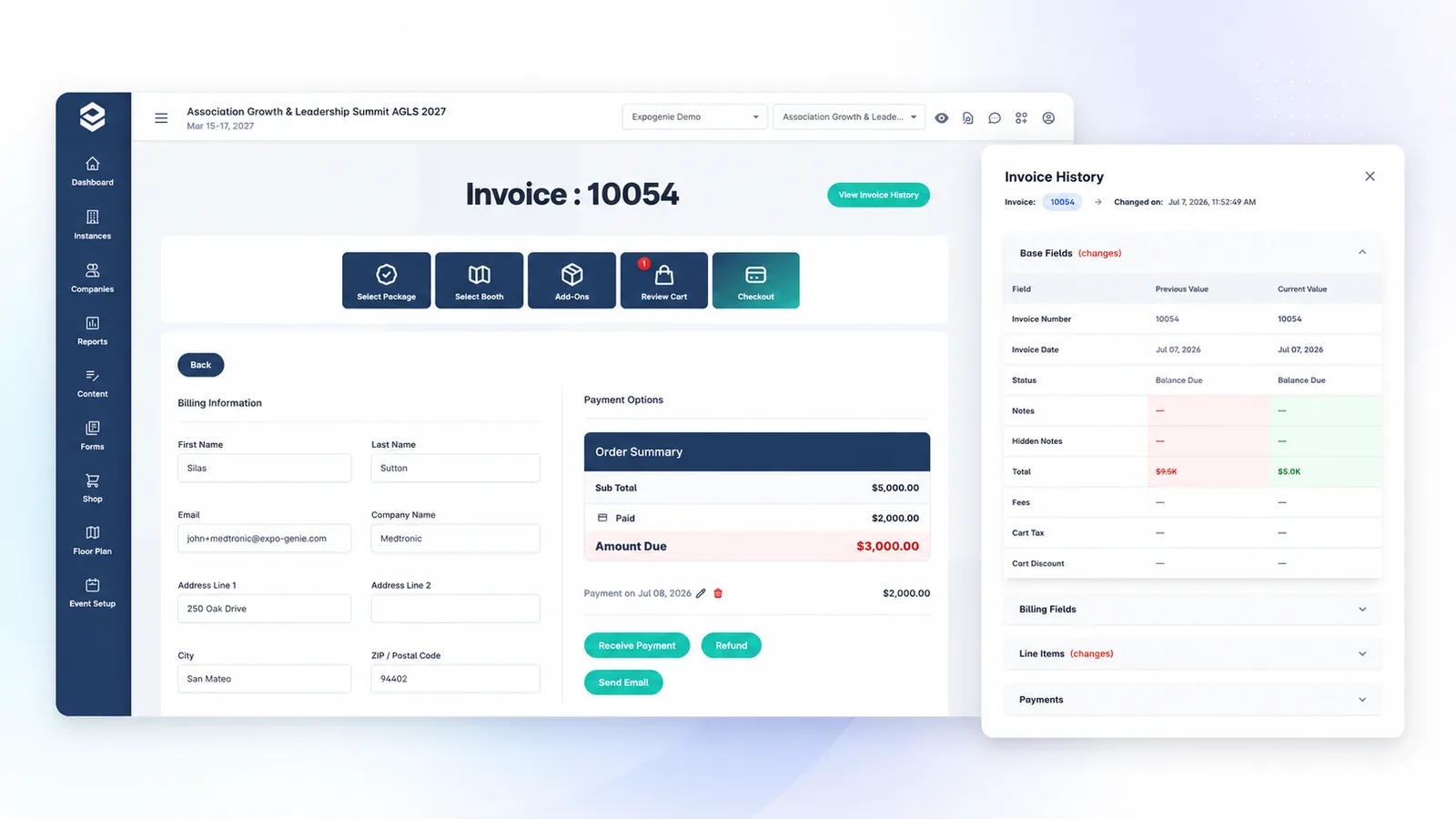
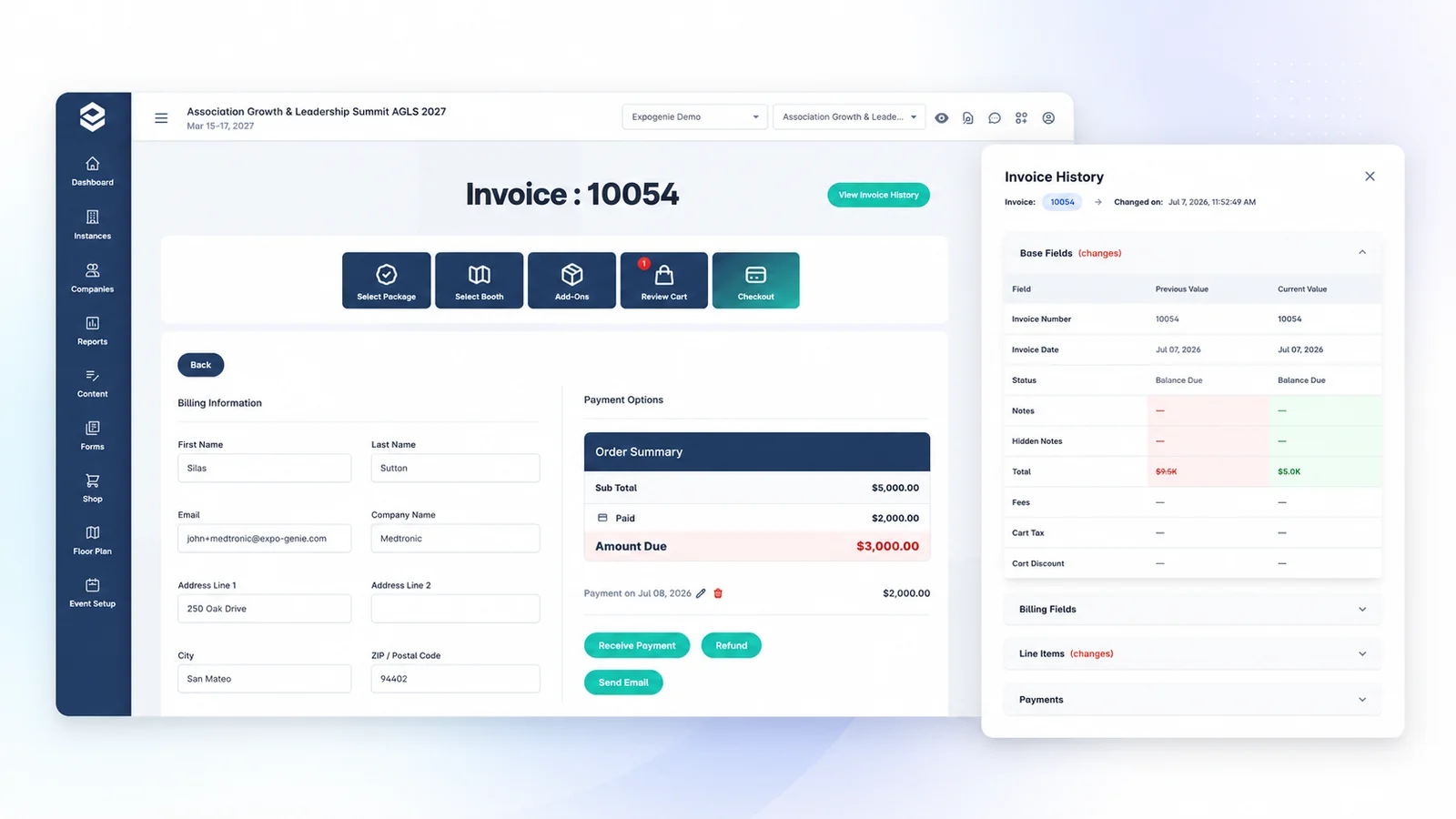
Generate an invoice from the actual booth or sponsorship order so products, pricing, payments, and balances stay connected without your team rebuilding the transaction by hand.
Invoice sent
ONLINE PAYMENTS
Collect payment without sending buyers somewhere else.
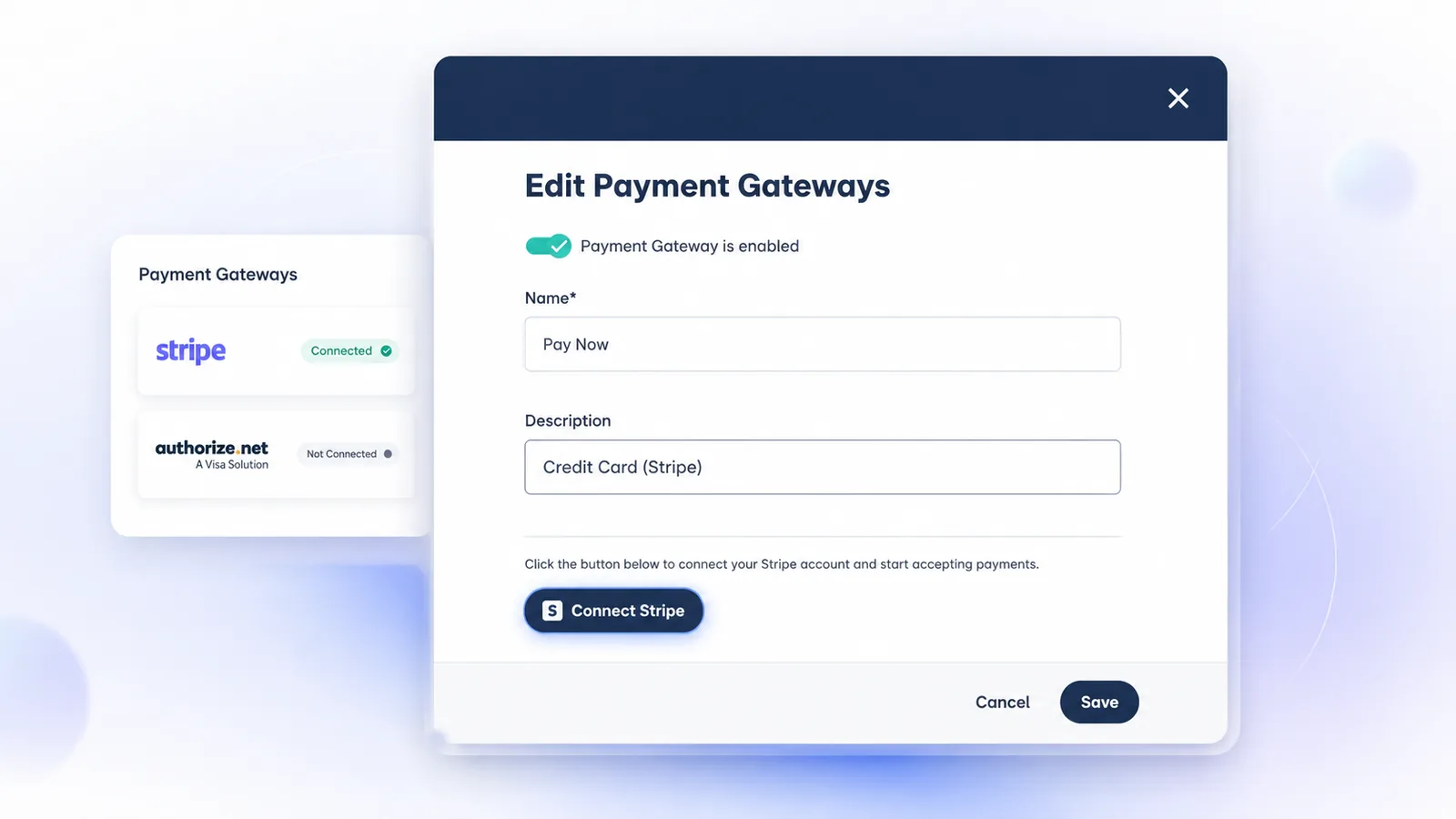
Connect supported payment providers so exhibitors and sponsors can complete payment as part of their ExpoGenie purchasing experience.
Gateways connected
REVENUE AT A GLANCE
See your event revenue without rebuilding the numbers.
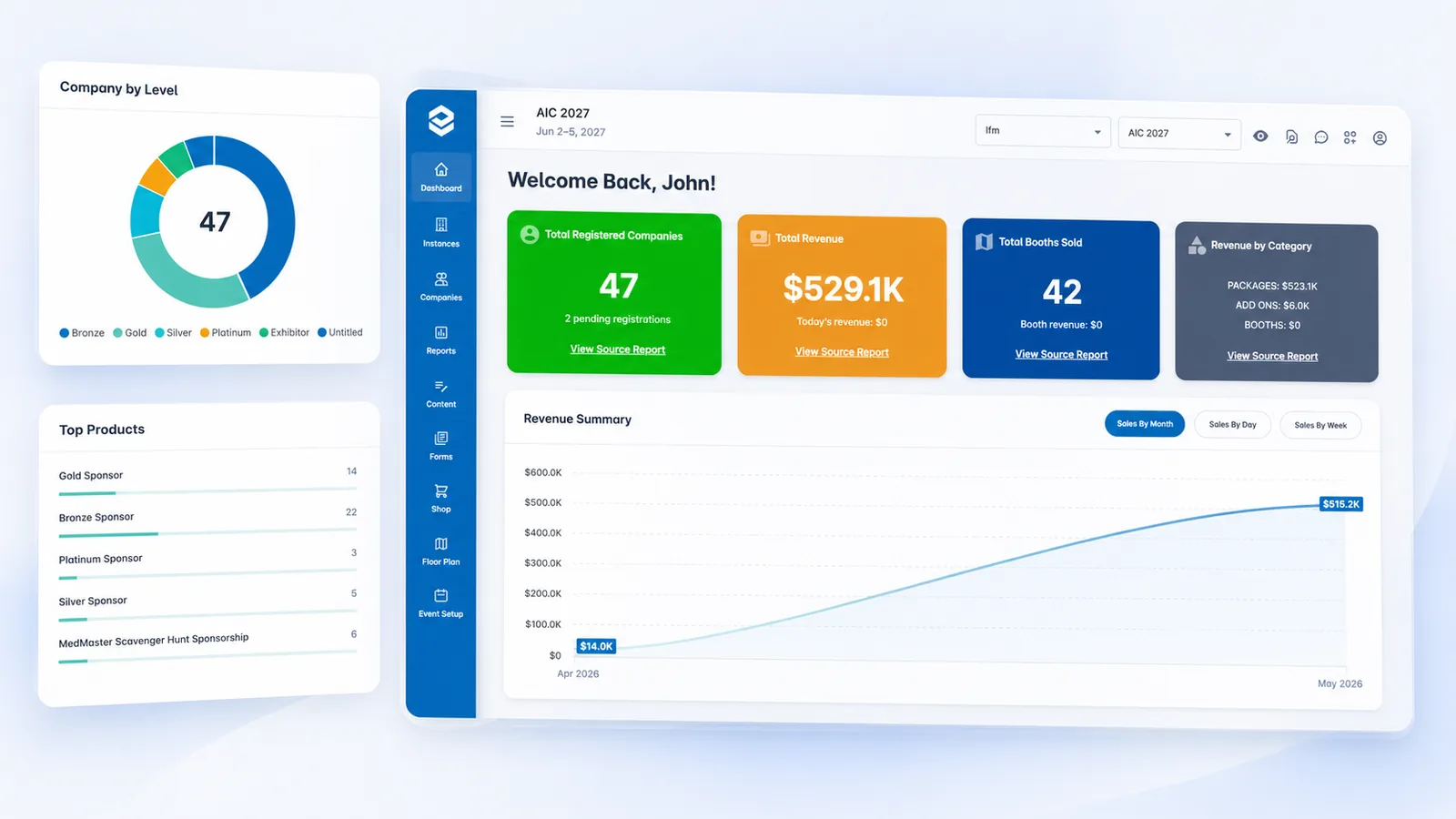
View orders, payments, outstanding balances, and financial activity across the event so your team can answer basic revenue questions without pulling together multiple spreadsheets.
Revenue tracked
STAFF-ASSISTED SALES
Not every order starts online.
Create an order on behalf of an exhibitor or sponsor when a sale happens over the phone, through your sales team, onsite, or outside the self-service workflow.
Keep staff-assisted sales and approved offline payments in the same system as online purchases, so you don’t create a second process for exceptions.
Order created
ORDER CHANGES
Because event orders change.
Adjust an order when pricing, products, booths, or sponsorship details change, and handle refunds without losing the history behind the original transaction.
Keep the order your team sees aligned with what the customer actually owes.
Order updated
FROM ORDER TO PAID
Keep the entire payment journey connected.
Every order, invoice, payment, and balance stays connected from purchase to reporting.
Order
An exhibitor or sponsor purchases, or your team creates the order for them.
Invoice
ExpoGenie creates a financial record tied to what was purchased.
Collect
Take full payment, a deposit, or support your approved pay-later workflow.
Track
See paid, partial, and outstanding balances.
Adjust
Update orders and financial details when the purchase changes.
Record
Capture approved offline payments and keep the financial history together.
Report
Give your team a clear picture of collected revenue and outstanding balances.
BUILT FOR EVENT COMMERCE
ExpoGenie manages the event transaction. Your accounting system remains your accounting system.
ExpoGenie connects the booth, sponsorship, exhibitor, order, invoice, and payment context that traditional accounting software doesn’t know about, while supporting integrations with the financial systems your organization already uses.
PAYMENTS & ACCOUNTING
Work with the financial systems your team already trusts.
Connect ExpoGenie’s event-commerce workflow with supported payment gateways and accounting systems rather than replacing the infrastructure your finance team already uses.
Sync members and exhibitors with your AMS.
Connect your event management workflows.
Push invoices and payments into your accounting.
Accept cards and ACH with automatic reconciliation.
Process payments through your existing gateway.
Connect to thousands of apps with no code.
Sync exhibitor registrations from Swoogo.
Export booth and sponsor data to Sheets.
Push exhibitor leads into your CRM.
Customer Success
Less reconciliation. More visibility.
0
manual invoices needed
“Now I can use the ExpoGenie dashboard and invoice report for all my reporting needs.”
Yes. Configure payment workflows that support full payment, deposits, remaining balances, or approved pay-later options based on the way your organization sells.
ExpoGenie supports selected payment gateways, including Stripe and Authorize.net. Available payment methods and capabilities depend on the provider and your configuration.
Orders can generate invoices tied directly to the products, pricing, payments, and balances associated with the purchase, reducing the need to recreate invoices manually.
ExpoGenie supports financial workflows with QuickBooks. The exact integration and data flow depend on your accounting setup, so we’ll map the appropriate workflow during implementation.
Yes. Orders can be adjusted when products, pricing, or other purchase details change, allowing the financial record to reflect the updated transaction.
Yes. Your team can view financial status across orders to see what has been collected and what remains outstanding.
FLEXIBLE FINANCIAL WORKFLOWS
Fit ExpoGenie around the way your organization gets paid.
Every organization handles event revenue a little differently. Configure payment options around your policies while keeping the buying experience clear for exhibitors and sponsors.
Use your supported payment provider
Connect the gateway that fits your organization’s payment workflow.
Support your payment terms
Configure full payment, deposits, balances, invoices, and approved offline methods as needed.
Keep finance in the loop
Maintain the event-level purchasing context while connecting financial information to the systems your finance team uses.
Ready to spend less time chasing event payments?
See how ExpoGenie connects orders, invoices, deposits, payments, and outstanding balances for your exhibitors and sponsors.