Give every exhibiting company a simple way to add, update, and manage its booth personnel while ExpoGenie enforces staff allowances, collects the information you require, and keeps your roster accurate.
Cleaner data for your team. A simpler process for every exhibitor.
1,000+events run annually
100,000+planners & exhibitors served
Staff registered4 of 8
Extra pass purchased$100
Roster readyPrepared for registration or badging
100+ hours saved
Trusted by leading associations and event organizers
THE OLD WAY
Booth staff registration should not be another spreadsheet exercise.
Collecting names, emails, titles, badge details, and last-minute changes from every exhibitor creates unnecessary work, and often leaves your registration team cleaning up the data.
Staff lists arrive by email
Your team chases every exhibiting company for names, changes, and missing information.
Data comes in inconsistent formats
Spreadsheets contain incomplete fields, formatting errors, and information that must be re-entered.
Pass limits are difficult to enforce
It is easy for exhibitors to exceed the number of registrations included with their package.
Additional passes go uncollected
Without a connected purchase workflow, extra booth staff can create administrative work or missed revenue.
Duplicate registrations appear
The same person may be submitted more than once or registered through multiple channels.
Rosters change until event day
Names, emails, and staffing plans continue changing long after the first list is submitted.
Your team should not have to rebuild every exhibitor’s staff roster before it can be used.
WHAT CHANGES
Make booth staff registration self-service, and keep control of the process.
Exhibitors manage their own people while your team controls what information is required, how many registrations are included, and what happens when they need more.
Cleaner registration data
Exhibitors enter and update their own staff information using the fields your event requires.
Fewer last-minute emails
Each company manages its roster directly instead of sending every addition and correction to your team.
Limits and extras stay organized
Included staff allowances are visible, additional passes can be purchased, and your team no longer tracks entitlements by hand.
SEE IT IN ACTION
A simpler way to manage every exhibitor's onsite team.
EXHIBITOR-MANAGED ROSTERS
Let every exhibitor build and maintain its own staff list.
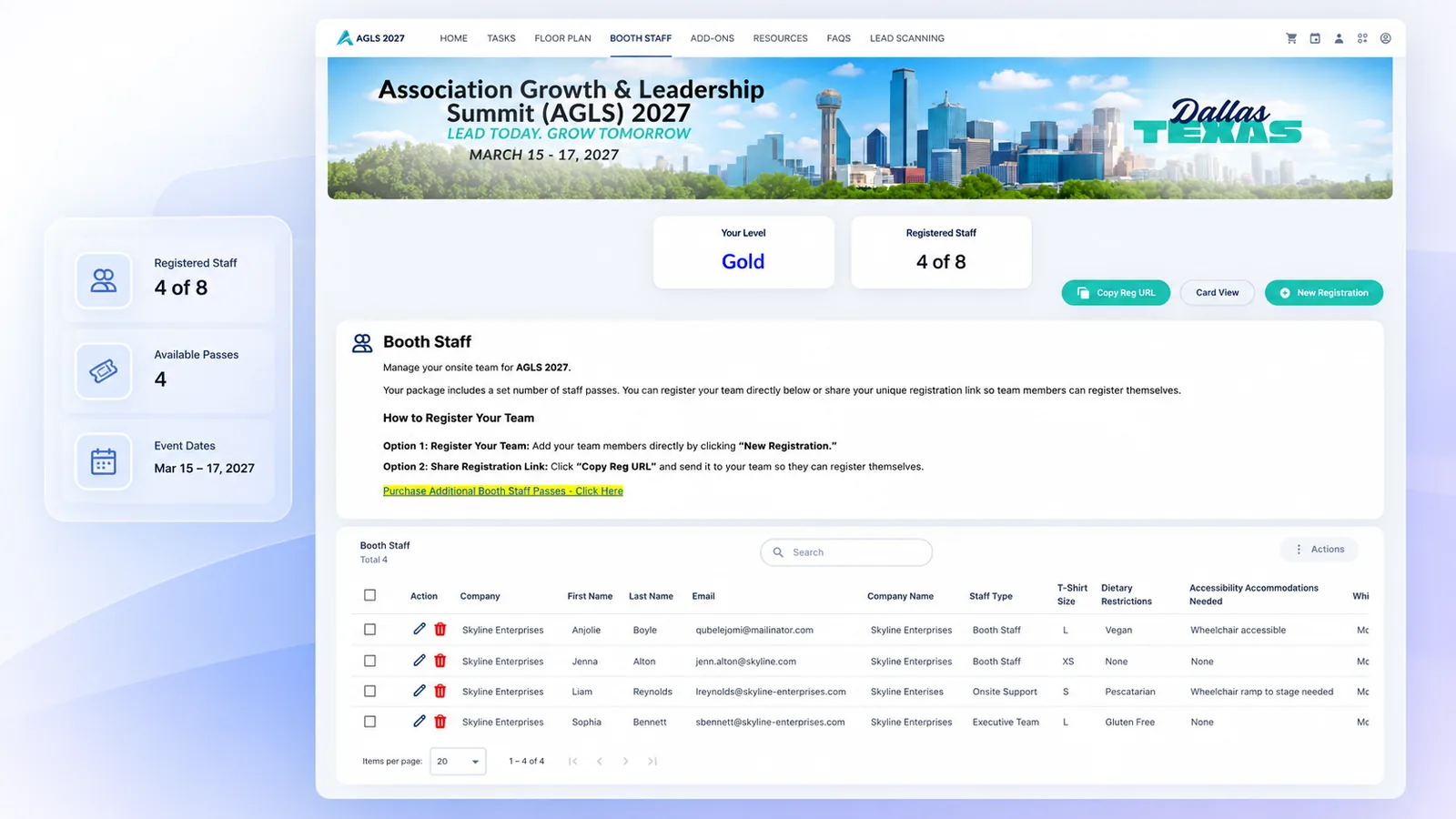
Exhibitors can add, edit, and remove booth personnel directly from their portal, keeping responsibility for the roster with the company that knows it best. Collect the names, emails, titles, roles, and other attendee details required by your event without emailing spreadsheets back and forth.
Staff added
CUSTOM REGISTRATION FIELDS
Collect the information your event actually needs.
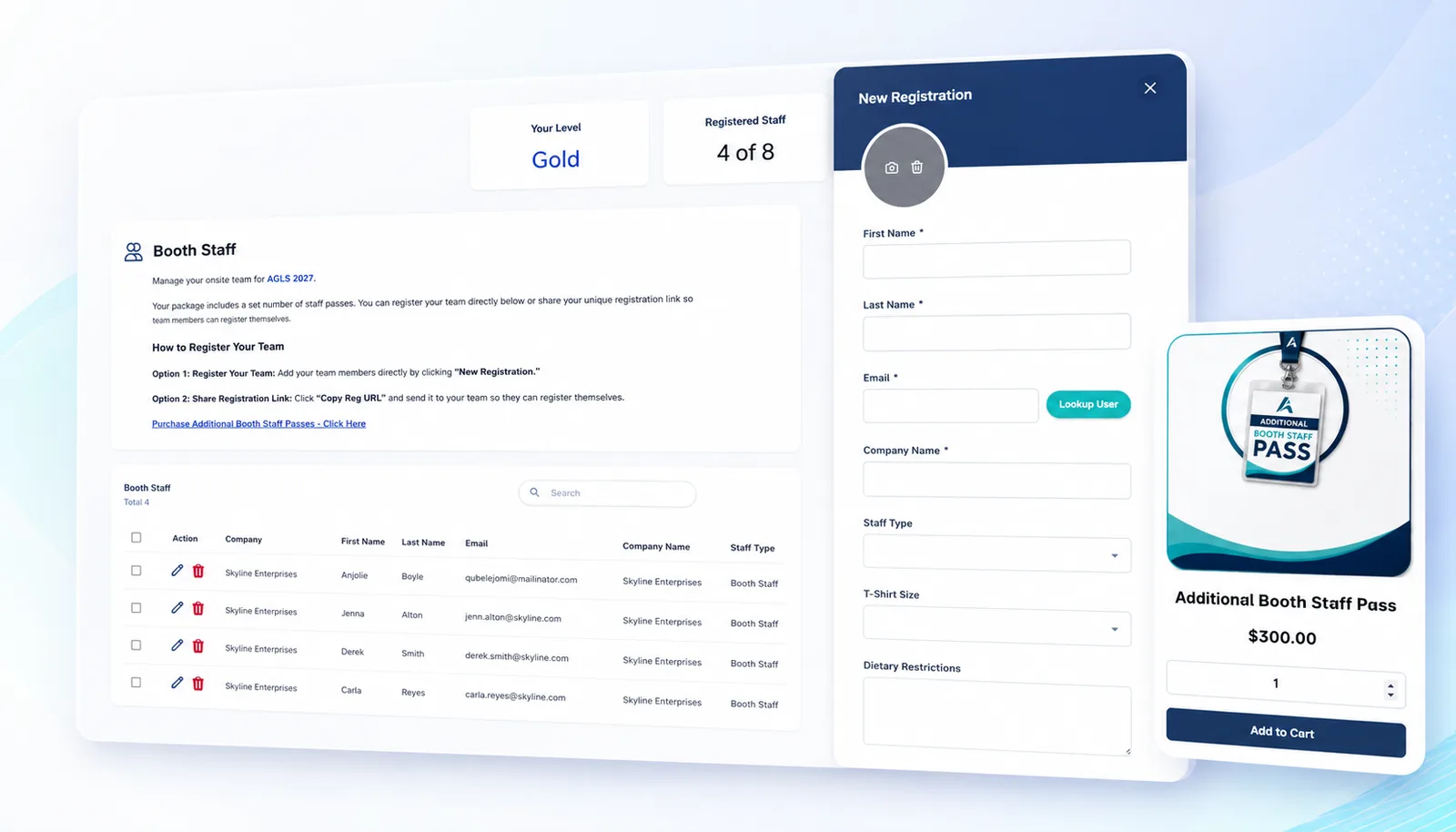
Define the information exhibitors must provide for each booth staff member, helping your registration and operations teams receive more complete, consistent records.
Required fields
STAFF ALLOWANCES
Connect booth staff limits to what the exhibitor purchased.
Set the number of staff registrations included with each booth or sponsorship package. Exhibitors can see how many passes they have used and how many remain.
Interactive preview
Staff allowances
An example package for a sample event. Set the allowance on the left, then register staff on the right until it runs out.
4 of 8 used
ADDITIONAL PASS SALES
Turn extra booth staff into a simple online purchase.
When an exhibitor needs more registrations than its package includes, allow it to purchase additional passes through a connected checkout rather than requesting an exception by email. Protect included allowances while capturing additional revenue.
Extra pass purchased
DATA QUALITY
Catch problems before the roster reaches your registration team.
Use required fields and validation rules to reduce missing information, inconsistent entries, and duplicate staff records.
Clean records
EVENT-WIDE VISIBILITY
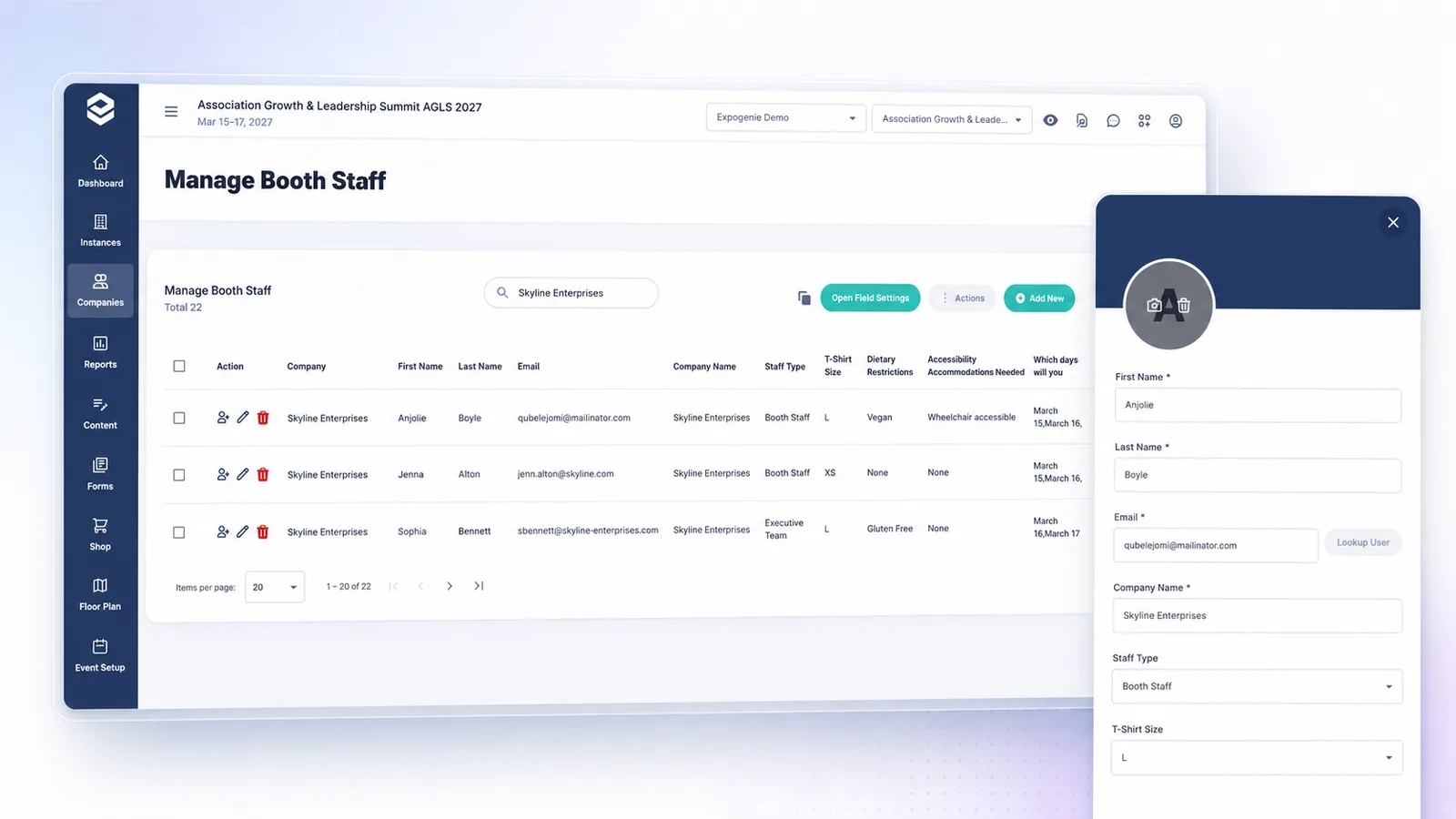
See booth staff across every exhibiting company.
View registered staff, available allowances, missing information, and additional pass activity from one organizer dashboard. Instead of opening one spreadsheet per exhibitor, your team gets a complete view of booth personnel across the event, and can export it for the registration, badging, or check-in workflow that needs it next.
Roster ready
THE EXPOGENIE WAY
From staff allowance to an event-ready roster.
ExpoGenie connects each exhibitor’s package, staff allowance, registration information, and additional purchases in one workflow.
Set the Allowance
Define how many booth staff registrations are included with each package.
Invite the Exhibitor
The exhibiting company accesses its portal and sees its available passes.
Add Staff
The exhibitor enters the required information for each team member.
Validate the Roster
Required fields, limits, and potential data issues are addressed before submission.
Purchase Extras
The exhibitor adds and pays for additional staff passes when needed.
Manage Changes
The company updates its roster as staffing plans change.
Export or Sync
Your team sends organized staff data into its registration, badging, or check-in workflow.
WORKS WITH YOUR REGISTRATION WORKFLOW
Move booth staff data where it needs to go next.
Export or connect exhibitor staff information with the registration, event management, badging, and data tools your organization already uses.
Sync members and exhibitors with your AMS.
Connect your event management workflows.
Push invoices and payments into your accounting.
Accept cards and ACH online.
Process payments through your existing gateway.
Connect to thousands of apps with no code.
Sync exhibitor registrations from Swoogo.
Export booth and sponsor data to Sheets.
Push exhibitor leads into your CRM.
CUSTOMER RESULTS
Less roster administration across every event.
100+ hours
saved on manual work
“ExpoGenie saved our team over 100 hours of manual work.”
Yes. Staff allowances can be associated with the booth, sponsorship package, or product the exhibitor purchased, so different companies can receive different included quantities.
Yes. When an exhibitor reaches its included allowance, additional booth staff passes can be made available for purchase based on your event’s rules and pricing.
ExpoGenie organizes and collects booth staff information and provides the data your registration or badging process needs.
BUILT FOR EVENT OPERATIONS
Configure the rules once. Let exhibitors handle the roster.
Set your registration fields, included allowances, additional pass options, and deadlines before launch, then give exhibitors a clear process to manage their own people.
Flexible staff rules
Configure allowances and registration requirements around your event and exhibitor packages.
Easy for exhibitors
Booth staff are managed inside the same portal exhibitors already use for the rest of their event participation.
Organized for your team
Review, export, or transfer cleaner roster data without consolidating spreadsheets manually.
Stop collecting booth staff one spreadsheet at a time.
See how ExpoGenie can give exhibitors control of their own rosters while helping your team enforce limits, collect better data, and prepare accurate staff records for event day.