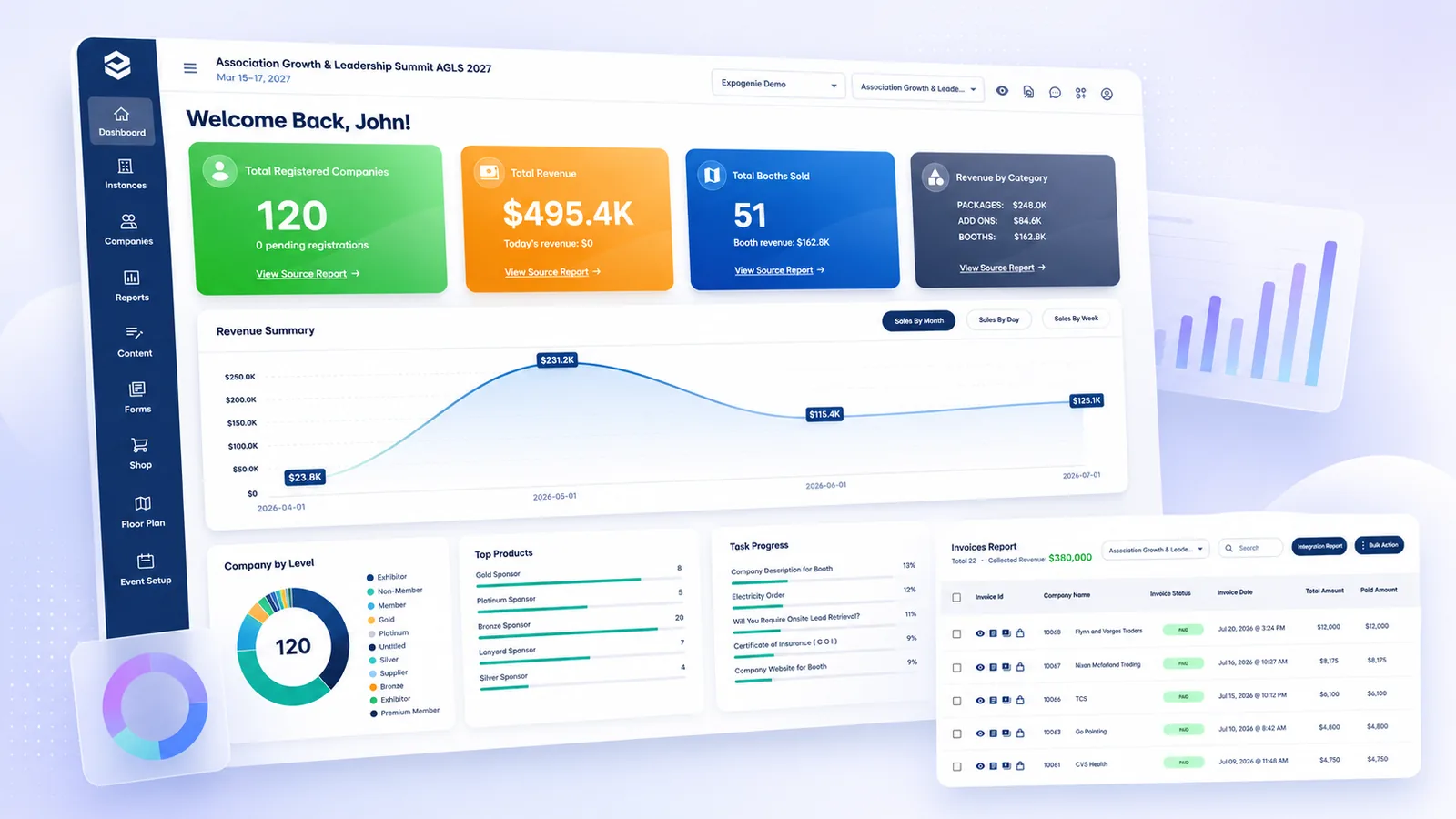
Bring booth and sponsorship sales, payments, inventory, and exhibitor progress into one connected view, so your team can answer important event questions without rebuilding reports from separate spreadsheets.
Faster answers for your team. Clearer reporting for leadership.
1,000+events run annually
100,000+planners & exhibitors served
Event dashboardCurrent performance at a glance
Revenue tracked$495.4K booked
Inventory status51 booths sold
100+ hours saved
Trusted by leading associations and event organizers
THE OLD WAY
The answers you need are scattered across spreadsheets.
Sales, invoices, payments, booth inventory, sponsorships, and exhibitor progress often live in separate files and systems, making even simple questions harder to answer.
Data lives in different places
Orders, payments, inventory, and exhibitor activity are tracked across disconnected tools and files.
Reports are rebuilt by hand
Every leadership update starts with another export, spreadsheet, and reconciliation process.
Numbers become stale quickly
Static reports stop reflecting the event as soon as the next sale, payment, or update occurs.
Inventory is difficult to summarize
Sold, held, reserved, and available inventory must be pieced together manually.
Each event has its own reporting process
Teams use different spreadsheets and definitions from one event to the next.
Simple questions take too long
Finding current revenue, outstanding balances, or incomplete exhibitor requirements can take hours.
Your team should spend time acting on the numbers, not assembling them.
WHAT CHANGES
Turn event activity into answers your team can use.
Because sales, payments, inventory, and exhibitor workflows already happen in ExpoGenie, the reporting can stay connected to the underlying activity.
One operational view
See key event performance without combining separate order, payment, inventory, and fulfillment trackers.
Answers when you need them
Quickly understand what has sold, what has been paid, what remains available, and where attention is needed.
Communicate results clearly
Give executives and stakeholders a consistent view of revenue, participation, and event progress.
SEE IT IN ACTION
The event information your team needs, without the reporting scramble.
EXECUTIVE OVERVIEW
Understand the event at a glance.
See the key indicators your team monitors most often, including participating companies, revenue, booth activity, product performance, and exhibitor readiness. Move from a high-level summary into the underlying records when something requires a closer look.
Event dashboard
SALES & REVENUE
Know what is selling, and how revenue is building.
Track booth, sponsorship, and add-on sales alongside the revenue associated with those orders. See which products are performing, which categories are contributing revenue, and how sales are progressing over the event lifecycle.
Revenue up
PAYMENTS & RECEIVABLES
See what has been paid, and what is still outstanding.
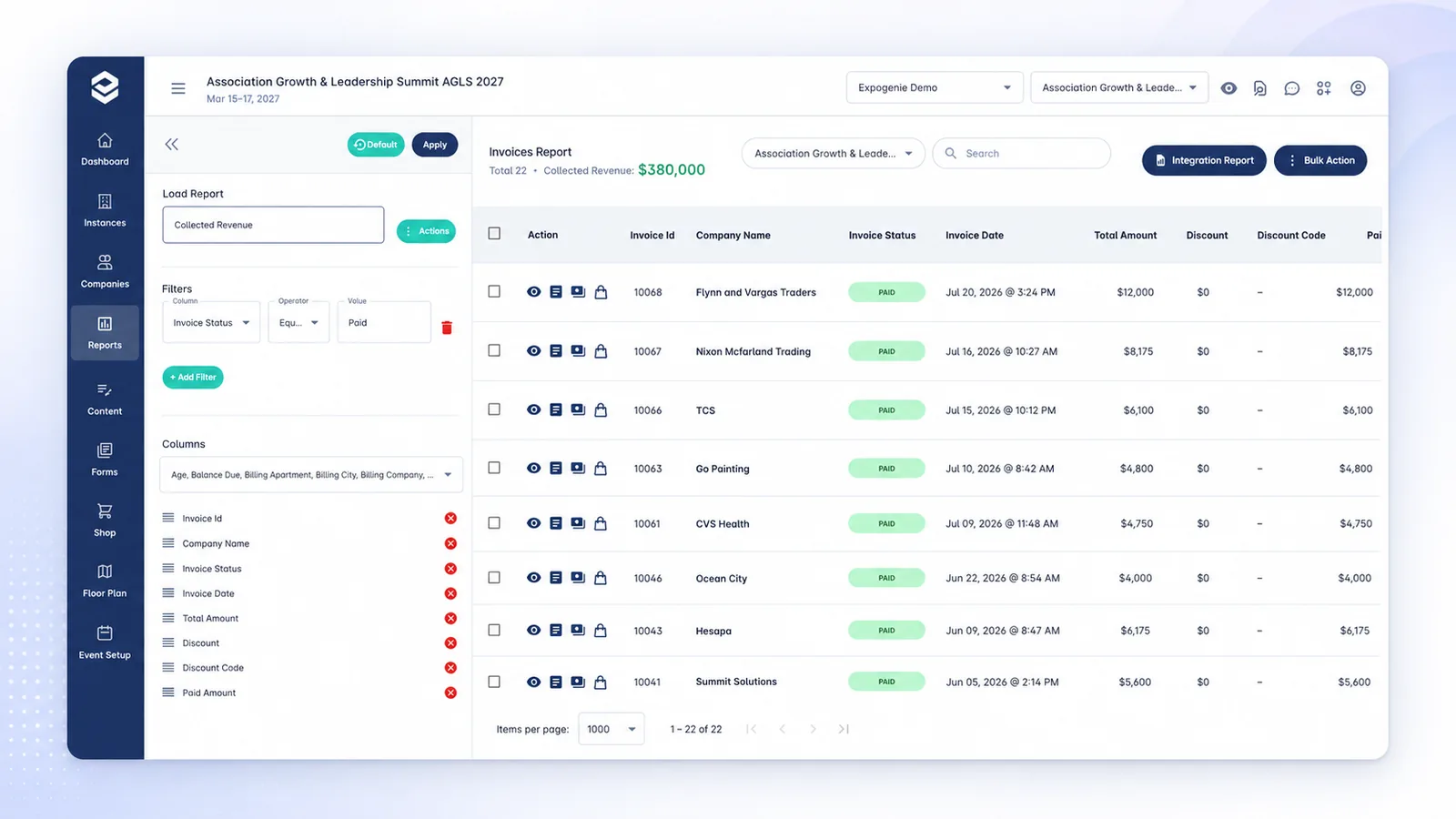
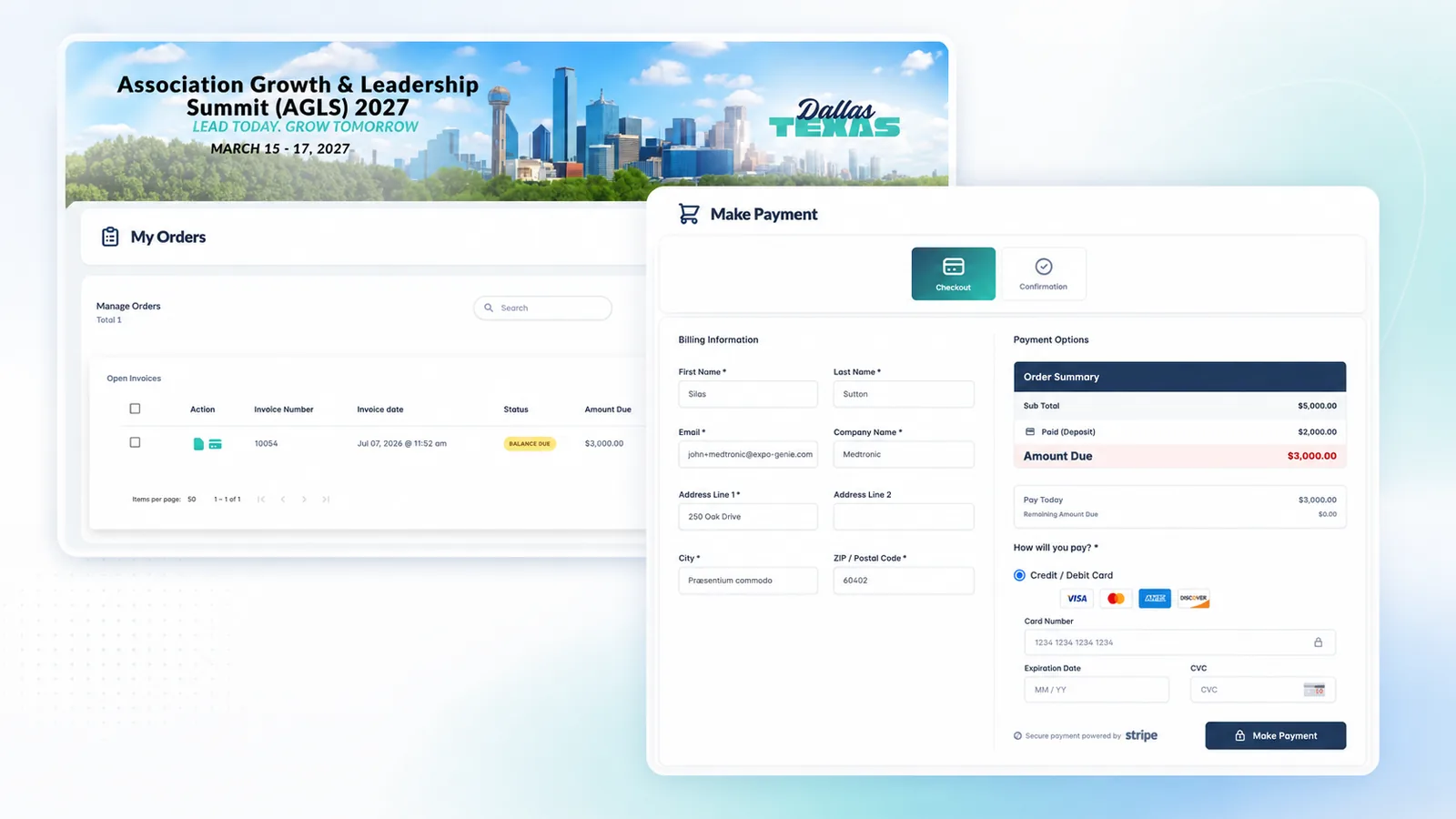
Review invoices, collected payments, deposits, outstanding balances, and payment status without reconciling a separate payment tracker. Give sales, operations, and finance teams a shared view of where each account stands.
Balance outstanding
INVENTORY STATUS
See what is sold, held, reserved, and still available.
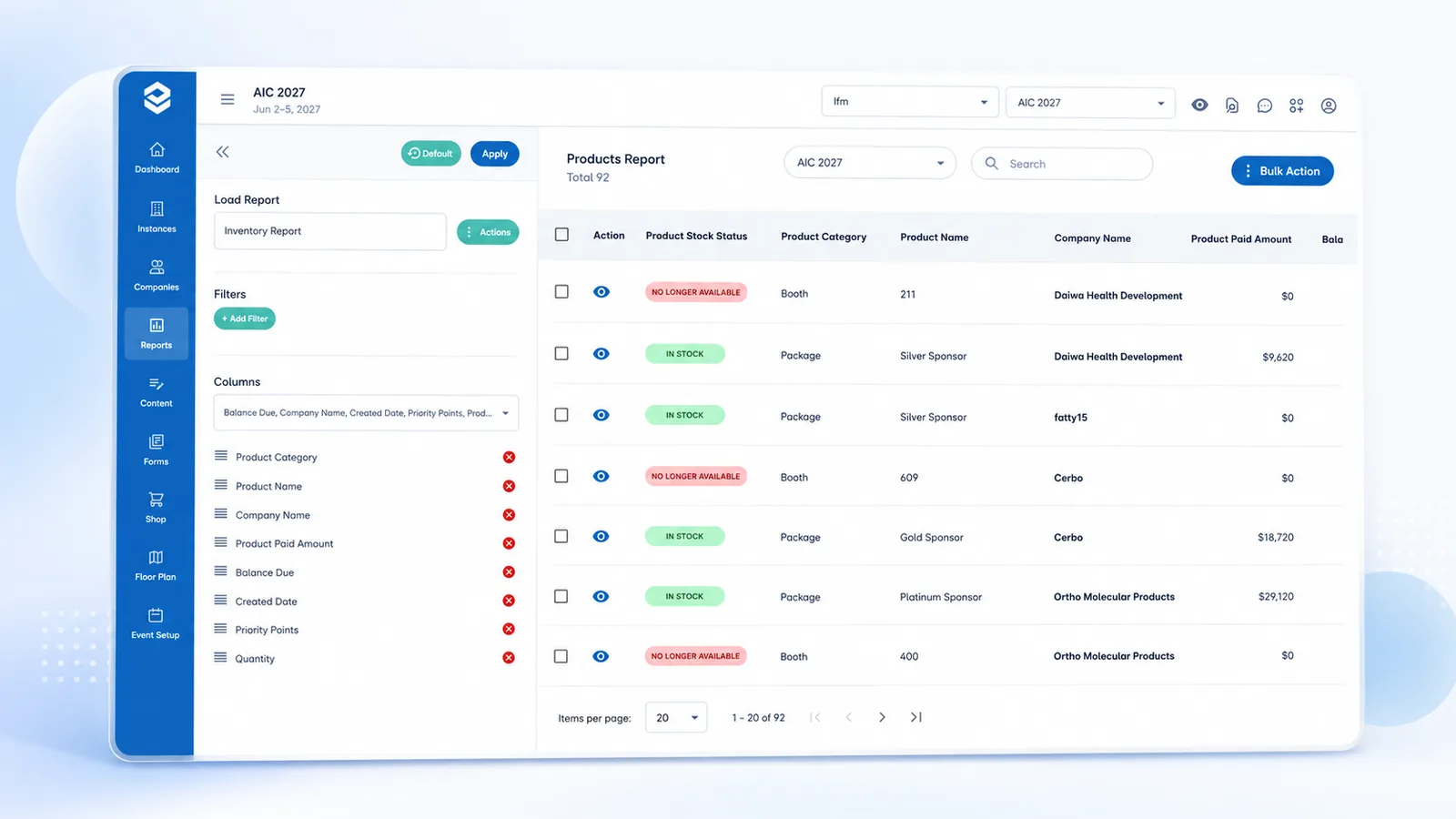
Understand booth and product availability from the same system your team uses to manage sales. Identify remaining inventory, review assigned space, and answer availability questions without maintaining a separate floor-plan spreadsheet.
Inventory tracked
EXHIBITOR PROGRESS
See who is ready, and who still needs attention.
Track task completion, outstanding requirements, missing submissions, and other exhibitor-readiness indicators across participating companies. Instead of chasing every exhibitor equally, your team can focus on the organizations with incomplete or overdue work.
3 exhibitors overdue
COMPANY & CONTACT RECORDS
Understand participation at the organization level.
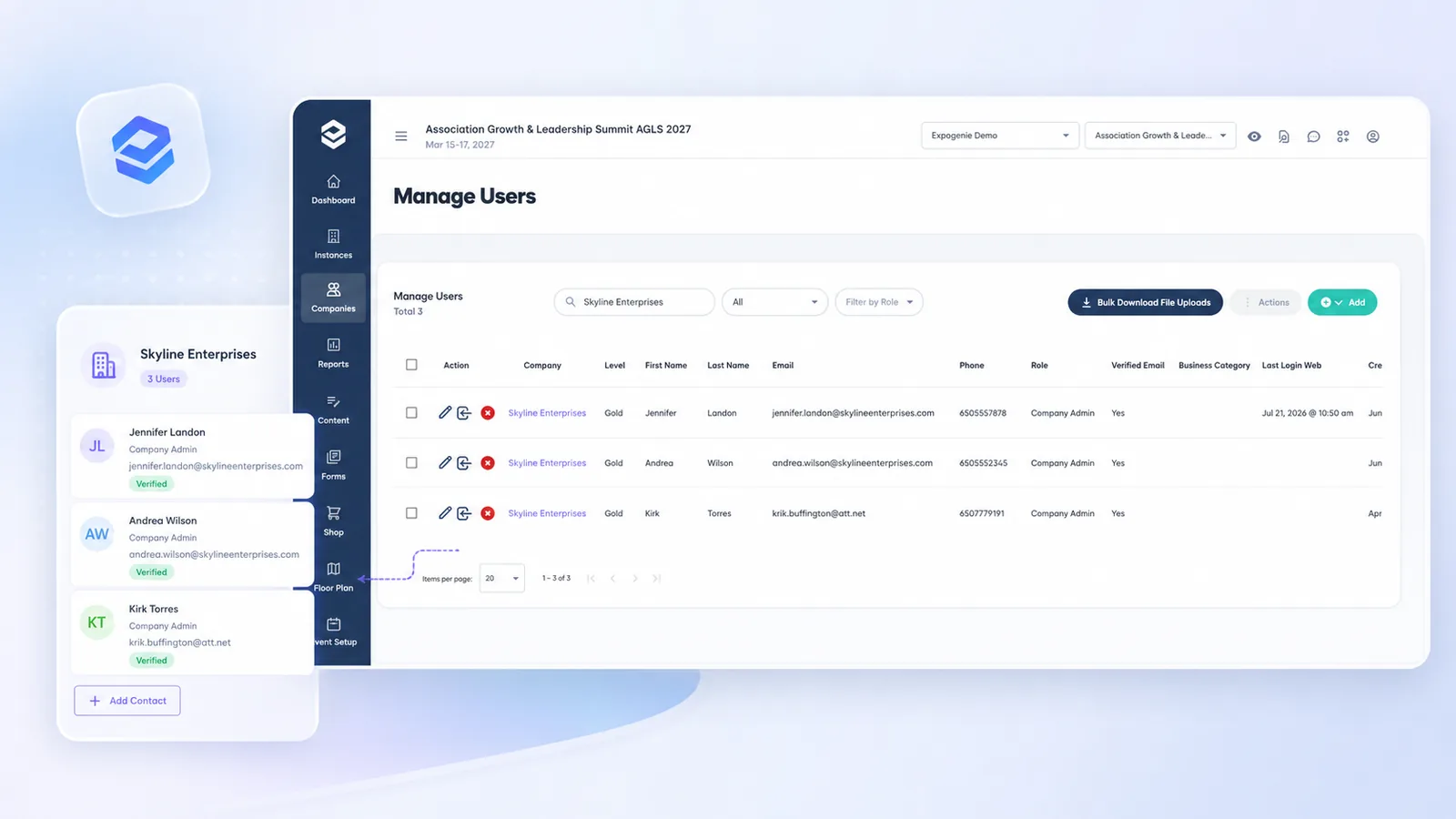
Review the companies participating in an event, the contacts connected to each organization, and the activity associated with their event account. ExpoGenie’s company-based model keeps multiple contacts, purchases, payments, tasks, and staff connected to the organization they belong to.
Company-based accounts
REPORTS & EXPORTS
Move from summary metrics to the records behind them.
Filter, review, and export the underlying data your team needs for finance, leadership updates, operations, and downstream systems. Use dashboards for quick answers and exports when you need deeper analysis or a specific operational handoff.
Export ready
THE EXPOGENIE WAY
From event activity to a clear answer.
The same actions your exhibitors, sponsors, and team complete in ExpoGenie become the foundation of your reporting.
Sell
Booths, sponsorships, and add-ons are ordered.
Invoice
Charges, deposits, balances, and payment terms are recorded.
Collect
Payments and outstanding balances are tracked.
Allocate
Booths, packages, and inventory move through their available and assigned states.
Fulfill
Tasks, assets, staff, and exhibitor requirements are completed.
Monitor
Dashboards surface event performance and areas requiring attention.
Report
Your team shares results or exports the underlying records for deeper analysis.
Works With Your Stack
Keep ExpoGenie reporting connected to your broader operation.
Use ExpoGenie alongside your membership, registration, accounting, payment, CRM, and event systems while keeping booth and sponsorship operations organized in one place.
Sync members and exhibitors with your AMS.
Connect your event management workflows.
Push invoices and payments into your accounting.
Accept cards and ACH online.
Process payments through your existing gateway.
Connect to thousands of apps with no code.
Sync exhibitor registrations from Swoogo.
Export booth and sponsor data to Sheets.
Push exhibitor leads into your CRM.
CUSTOMER RESULTS
Faster reporting. Less manual reconciliation.
One dashboard
for recurring reporting
“Now I can use the ExpoGenie dashboard and invoice report for all my reporting needs.”
ExpoGenie dashboards reflect activity recorded in the platform as that information is processed. Update timing may vary for data received from external systems or integrations.
Reporting can include supported information related to companies, contacts, orders, products, invoices, payments, inventory, tasks, and other ExpoGenie event activity. The exact available fields depend on the report and product configuration.
ExpoGenie supports multi-event organizations, and cross-event reporting capabilities depend on the reporting view and account configuration. We can walk through the currently available options during your demo.
You can filter and export supported records today. Broader custom report building is on the ExpoGenie roadmap, and we can walk through the current options during your demo.
Yes. Supported inventory views can show booth or product status, including availability and assignment information based on the way the event is configured.
Yes. ExpoGenie can report on invoices, collected payments, outstanding balances, deposits, and other supported payment information recorded in the platform.
Reporting access follows the roles and permissions configured for the user. We can confirm the exact permission controls during your demo.
BUILT INTO THE PLATFORM
Start reporting from the work already happening in ExpoGenie.
Because orders, payments, inventory, tasks, and exhibitor records are already connected, your team can gain visibility without building a separate reporting process from scratch.
Connected operational data
Report from the same records your team uses to manage sales, payments, and exhibitor activity.
Clear executive summaries
Give leadership a high-level view without exposing every operational detail.
Export when you need it
Move supported data into finance, analysis, or downstream reporting workflows.
Get the answers without rebuilding the report.
See how ExpoGenie brings revenue, payments, inventory, and exhibitor progress into one connected reporting experience.